Blog

  • What is a Short URL Manager (SUM) and How It Boosts E-Commerce Tracking

    In modern e-commerce, tracking where your traffic comes from is the absolute key to maximizing your marketing budget. Long, messy URLs filled with tracking tokens look unprofessional and can deter users from clicking. This is where a Short URL Manager (SUM) becomes invaluable.

    A SUM takes a bulky, complex link and condenses it into a clean, brand-focused shortcut. Behind the scenes, the manager logs vital analytics—such as click counts, geographic locations, and referral sources—before instantly redirecting the user to the destination. By utilizing a lightweight tool built on fast backend scripts, e-commerce platforms can gather real-time marketing data without slowing down the user experience or relying on heavy third-party tracking scripts.

    My SUMs run both on my local machine (via WSL / Mojolicous ) and on many of my servers.
  • The Strategic Importance of Secure, Ad-Free Professional Email

    Many starting businesses rely on free, generic email addresses for their daily operations. However, upgrading to a professional email address tied directly to your unique business domain name is a big but good step up for security and brand authority.

    Free email services often scan your message data behind the scenes to serve targeted advertisements. A dedicated, professional email platform ensures your corporate correspondence remains completely private and secure. Furthermore, custom domain emails pass stricter modern spam filters, ensuring that your quotes, invoices, and customer service updates land safely in your clients’ inboxes rather than their junk folders. It is a small infrastructure upgrade that yields massive returns in client trust.

    Free email is not professional at all!

    We provide professional email at an affordable price!!

  • Choosing the Right Web Server: Apache vs. Nginx for Small Businesses

    When setting up a new website or web application, choosing the right underlying web server software is one of the most critical foundational decisions you can make. The two industry giants that dominate the web are Apache and Nginx.

    Apache is celebrated for its flexibility and power, especially its use of .htaccess files. These files allow users to configure directories individually without needing to restart the entire global server—making it incredibly user-friendly for shared hosting spaces. Nginx, on the other hand, excels at handling massive amounts of concurrent traffic and serving static files at lightning speeds due to its event-driven architecture. For an optimal setup, using Apache to process dynamic application files behind an Nginx reverse proxy gives you the absolute best of both worlds.

  • How to Set Up a Lightweight Local Development Environment Using WSL for Windows

    For web developers working on Windows machines, setting up a native Linux development environment used to require heavy virtual machines that drained system RAM. Today, Windows Subsystem for Linux (WSL) offers a seamless, high-performance alternative.

    With WSL, you get a full Ubuntu or Debian environment running directly inside Windows without any performance penalty. This allows you to test local server configurations, run Apache locally, and execute Perl or Shell scripts exactly as they would perform on a live production server. Setting it up is as simple as opening PowerShell and running wsl --install. For small businesses developing custom internal tools, WSL bridges the gap between local creation and live cloud deployment effortlessly.

    I use/run WSL2 on a HP laptop, quite heavily.

    One of the things I frequently do on my WSL laptop is upload / sync / download / files and folders.

    An example tool I use frequently to upload files to my servers is SCP and/or rSync.

    An example command to upload files/directories looks like this:

    scp file.txt user@remote.tld

    An example command to download would be

    rsync user@remote.tld:~/public/dir260628 .

  • Why Perl and Shell Scripts Are Still the Ultimate Backend Automation Duo

    Perl and Shell scripting have been the backbone of server administration for decades, and they remain just as vital today. While newer programming languages get a lot of marketing buzz, nothing beats the raw speed and efficiency of a native Shell script combined with the unmatched text-processing power of Perl.

    When managing web hosting environments, repetitive tasks like parsing server access logs, rotating system backups, and monitoring resource usage need to happen instantly without heavy memory overhead. A Shell script can interact directly with the Linux kernel and native system utilities, while a Perl script can cleanly extract, transform, and format that data into a database. For local businesses looking for fast, reliable automation, this classic stack keeps resource usage remarkably low and server uptime exceptionally high.

    For more on Perl, see perl0.com

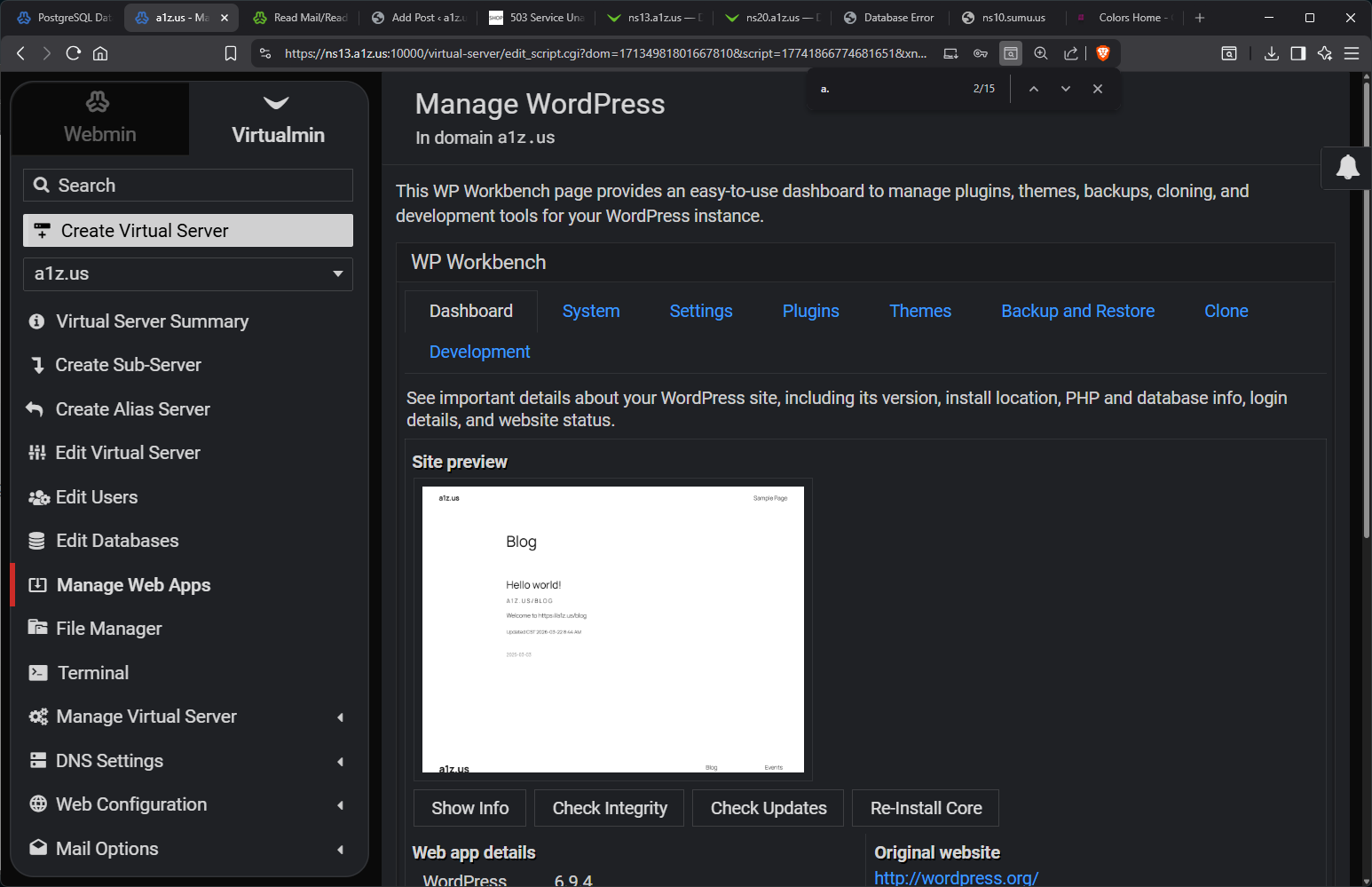
  • WordPress Workbench by VirtualMin

    WordPress Workbench by VirtualMin

    VirtualMin started rolling the Workbench for WordPress sometime in the last 2 years (I guess) and they are really good.

    Look at the screenshot

  • Hello world!

    A 1 Z . U S / B L O G

    Welcome to https://a1z.us/blog

    Updated CST 2026-03-22 8:44 AM